1. Intuitive User Interface
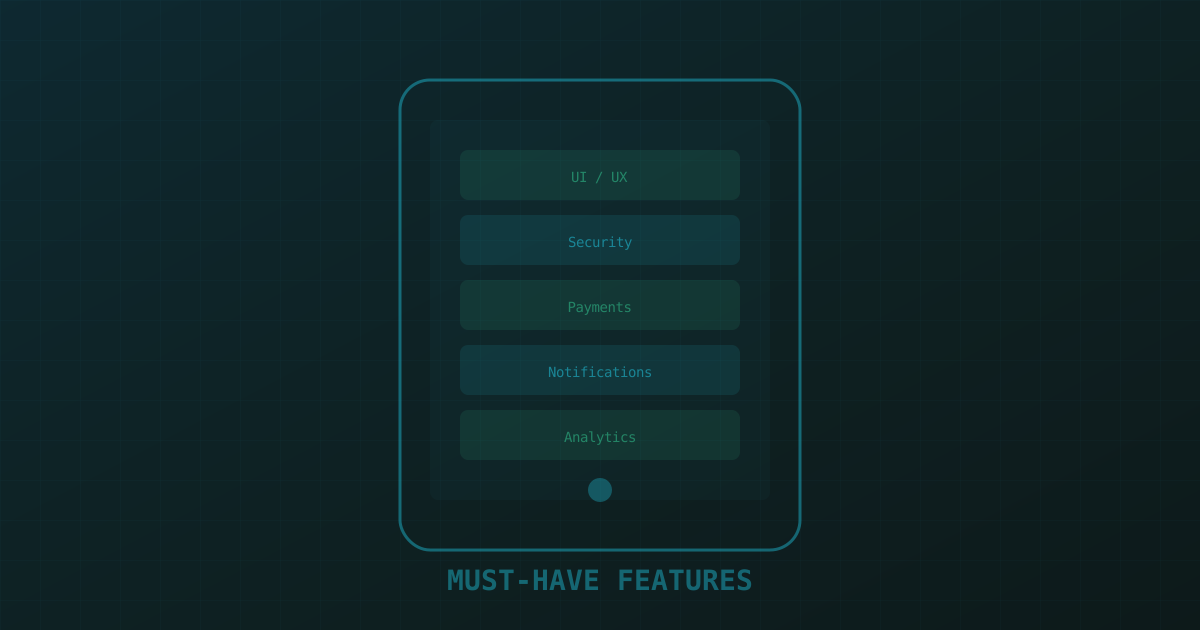
The best mobile UI is invisible — users accomplish their goals without thinking about the interface. This means consistent navigation patterns, appropriately sized tap targets (minimum 44x44 points on iOS, 48x48dp on Android), and visual hierarchy that guides the eye to the most important actions first.
Follow platform conventions: iOS users expect tab bars at the bottom, Android users expect a navigation drawer or bottom bar. Don't make iOS users hunt for a hamburger menu, and don't force Android users into an iOS-style back-swipe gesture. Respect the platform, and your users will reward you with engagement.
Accessibility is not optional. Support Dynamic Type, ensure sufficient color contrast (WCAG AA minimum), provide VoiceOver/TalkBack labels for every interactive element, and never rely on color alone to convey information. Accessible apps reach more users and are legally required in many markets.
2. Frictionless Onboarding
Users decide within 30 seconds whether your app is worth keeping. Your onboarding flow should demonstrate value immediately, not walk through 8 screens of feature explanations nobody reads. The best onboarding is progressive — let users start using the app right away, and introduce advanced features contextually as they need them.
Offer social login (Google, Apple, Facebook) to eliminate the friction of creating yet another username and password. Apple's Sign in with Apple is now required if you offer any third-party login — plan for it from day one. If your app requires permissions (camera, location, notifications), request them in context when the user is about to use the feature, not in a batch during onboarding.
3. Security and Data Protection
Security is a feature, not an afterthought. Users trust you with their data, and a breach destroys that trust permanently. Implement these fundamentals:
- Transport security: Enforce TLS 1.3 for all API communication. Use certificate pinning for sensitive endpoints.
- Local storage: Never store sensitive data in UserDefaults or SharedPreferences. Use the Keychain (iOS) or EncryptedSharedPreferences (Android) for tokens and credentials.
- Biometric auth: Face ID and fingerprint authentication reduce friction while increasing security. Implement LocalAuthentication on iOS and BiometricPrompt on Android.
- Session management: Implement token refresh, automatic logout on inactivity, and server-side session revocation for lost/stolen devices.
// iOS Keychain storage for auth tokens
import Security

func saveToken(_ token: String, account: String) throws {
    let data = Data(token.utf8)
    let query: [String: Any] = [
        kSecClass as String:       kSecClassGenericPassword,
        kSecAttrAccount as String: account,
        kSecValueData as String:   data,
        kSecAttrAccessible as String:
            kSecAttrAccessibleWhenUnlockedThisDeviceOnly
    ]
    let status = SecItemAdd(query as CFDictionary, nil)
    guard status == errSecSuccess else {
        throw KeychainError.saveFailed(status)
    }
}
4. Seamless Payment Integration
If your app involves transactions — a common pattern for e-commerce and fintech apps — payment friction directly impacts revenue. Apple Pay and Google Pay reduce checkout to a single biometric confirmation — conversion rates increase 30-50% compared to manual card entry. For subscription apps, use StoreKit 2 (iOS) and Google Play Billing Library 6 (Android) with proper receipt validation on your server.
For third-party payments, Stripe and Razorpay offer excellent mobile SDKs. Always handle payment failures gracefully — show clear error messages, offer alternative payment methods, and never charge a user without explicit confirmation. Implement idempotency keys on your server to prevent duplicate charges from network retries.
5. Location-Based Services
Location services enable powerful features — nearby discovery, geofencing, route tracking, and contextual notifications. But they also raise privacy concerns. Always explain why you need location access, request "when in use" rather than "always" unless you genuinely need background location, and provide a clear in-app toggle to disable it.
On iOS, use the CLLocationManager with appropriate accuracy settings. For battery-sensitive apps, use significant-change location updates rather than continuous tracking. On Android, the Fused Location Provider API balances accuracy and battery consumption automatically. Always handle the case where the user denies location permission — your app should still function, just with reduced capabilities.
6. Smart Push Notifications
Push notifications are the most powerful — and most abused — re-engagement tool. The average app loses 50% of users within the first month. Well-targeted notifications can halve that churn rate. Bad ones accelerate it.
Implement notification categories and priorities. Use silent push notifications to refresh content in the background, and reserve user-visible notifications for genuinely important events. Personalize based on user behavior — a user who browses running shoes doesn't want notifications about kitchen appliances. Implement notification scheduling so messages arrive at reasonable hours in the user's timezone.
// Firebase Cloud Messaging — personalized notification
fun sendPersonalizedNotification(userId: String, event: UserEvent) {
    val preferences = userPreferencesRepository.get(userId)
    if (!preferences.notificationEnabled) return

    val message = Message.builder()
        .setToken(preferences.fcmToken)
        .setNotification(Notification.builder()
            .setTitle(event.title)
            .setBody(event.personalizedBody(preferences.name))
            .build())
        .putData("deep_link", event.deepLinkUrl)
        .setAndroidConfig(AndroidConfig.builder()
            .setPriority(AndroidConfig.Priority.HIGH)
            .build())
        .setApnsConfig(ApnsConfig.builder()
            .setAps(Aps.builder()
                .setCategory(event.category)
                .setSound("default")
                .build())
            .build())
        .build()

    FirebaseMessaging.getInstance().send(message)
}
7. Offline Mode and Caching
Users expect apps to work in elevators, subways, and airplanes. An app that shows a blank screen without connectivity feels broken. Implement offline-first architecture: cache API responses locally, queue mutations for sync when connectivity returns, and show cached content with a clear "last updated" timestamp.
On the database side, use SQLite, Realm, or WatermelonDB for structured local data. For file caching, implement LRU eviction policies to prevent unbounded storage growth. When connectivity returns, implement a sync strategy that handles conflicts — last-write-wins is simplest, but merge strategies may be needed for collaborative features.
8. Analytics and User Insights
You can't improve what you can't measure. Integrate analytics from day one — not to track everything, but to understand the metrics that matter: activation rate, daily/weekly active users, feature adoption, session length, and churn points. Firebase Analytics, Mixpanel, and Amplitude each have strengths; choose based on whether you need product analytics (Mixpanel), funnel analysis (Amplitude), or free basic tracking (Firebase).
Implement crash reporting (Sentry, Crashlytics) and performance monitoring. Track screen render times, API latency, and error rates. Set up alerts for regression — if your p95 API latency doubles after a release, you want to know within minutes, not weeks. Analytics infrastructure is not glamorous, but it's the difference between building on intuition and building on evidence. Need help implementing these patterns? Our Android developers and iOS teams build this checklist into every project from day one.