Building a mobile app is a complex, multi-phase process that requires coordination between designers, developers, testers, and stakeholders. Whether you are building a native iOS app, an Android app, or a cross-platform solution with React Native or Flutter, the process follows a proven sequence. This guide walks through each phase with technical detail.
Requirements Gathering and Discovery
The discovery phase determines what you are building and why. Conduct stakeholder interviews to understand business goals. Define user personas — who will use the app, what problems they need to solve, and what devices they use. Create a product requirements document (PRD) that lists every feature, prioritized using the MoSCoW method: Must have, Should have, Could have, and Won't have (for now).
Technical requirements include: target platforms (iOS, Android, or both), backend infrastructure (existing APIs or new development), third-party integrations (payment, maps, analytics), security requirements (data encryption, authentication method), and performance targets (launch time, API response time, offline capability). Document everything — ambiguity at this stage causes scope creep later.
Estimation, NDA, and Legal Framework
Once requirements are defined, estimate effort and cost. Break features into user stories and estimate each in story points or hours. Use three-point estimation (optimistic, most likely, pessimistic) to account for uncertainty. A typical medium-complexity app (10-15 screens, API integration, user authentication) takes 800-1,500 development hours.
Before sharing proprietary information, execute a Non-Disclosure Agreement (NDA). The NDA should cover: definition of confidential information, exclusions (publicly known information), duration (typically 2-5 years), and remedies for breach. Also establish a master services agreement (MSA) covering intellectual property ownership, payment terms, liability, and dispute resolution. For apps handling user data, ensure compliance with GDPR, CCPA, and platform-specific privacy requirements.
Wireframing and UI/UX Design
Design begins with low-fidelity wireframes — simple layouts showing content hierarchy and navigation flow. Tools like Figma, Sketch, or Adobe XD are industry standard. Create user flow diagrams showing every path a user can take through the app. Get stakeholder sign-off on wireframes before investing in high-fidelity design.
High-fidelity designs add color, typography, imagery, and micro-interactions. Build a design system — a library of reusable components (buttons, cards, inputs, navigation) with consistent spacing, colors, and typography. This ensures visual consistency and speeds development. Deliver designs with a specification document showing exact dimensions, colors (hex values), font sizes, and asset exports at all required resolutions (@1x, @2x, @3x for iOS; mdpi, hdpi, xhdpi, xxhdpi, xxxhdpi for Android).
Agile Development and Sprint Planning
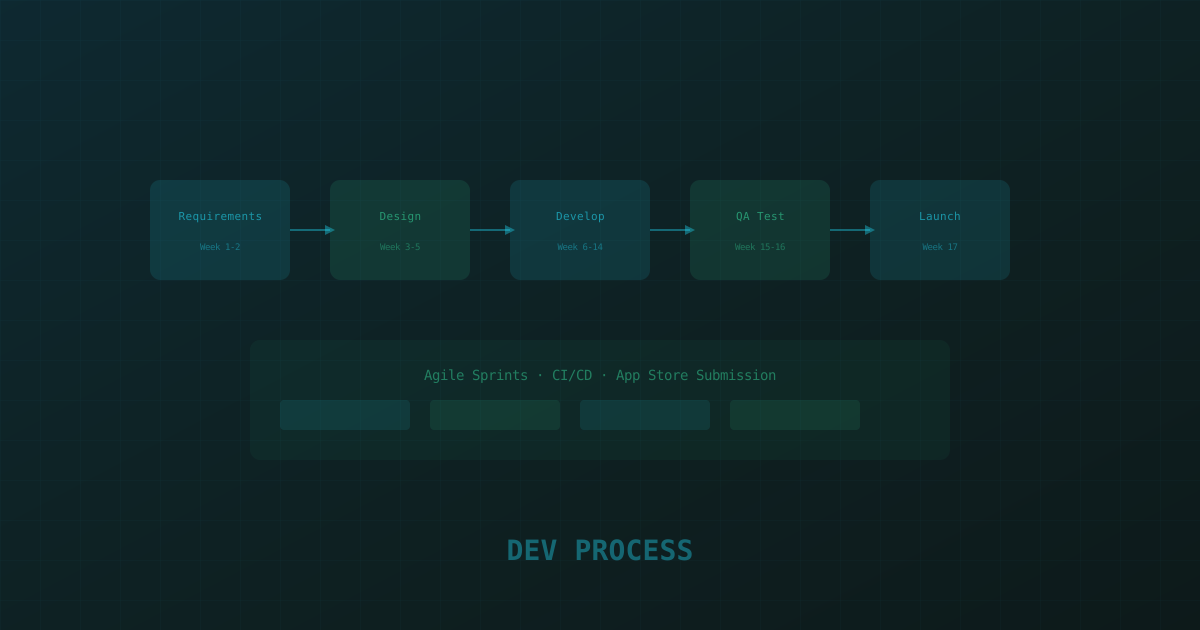
Development follows Agile methodology — typically two-week sprints with daily standups, sprint planning, and retrospectives. Organize work into epics (large features) and user stories (specific tasks). Each sprint should deliver a potentially shippable increment.
Sprint planning involves: reviewing the product backlog, selecting stories for the sprint, breaking stories into tasks, and estimating effort. A typical sprint velocity for a team of 3-4 developers is 40-60 story points. Many teams cover a capacity gap by choosing to hire Android developers for a single sprint cycle rather than scaling headcount permanently. Use a burndown chart to track progress. If the team is consistently missing sprint goals, re-estimate or reduce scope.
// Example sprint structure for a mobile app project
Sprint 1 (Weeks 1-2): Project setup, authentication, navigation shell
Sprint 2 (Weeks 3-4): User profile, settings, API integration
Sprint 3 (Weeks 5-6): Core feature A, list/detail screens
Sprint 4 (Weeks 7-8): Core feature B, search and filtering
Sprint 5 (Weeks 9-10): Payments, notifications, push integration
Sprint 6 (Weeks 11-12): Polish, performance optimization, QA
Sprint 7 (Weeks 13-14): App Store assets, submission, launch prep
Use version control (Git) with a branching strategy — main branch for production, develop branch for integration, feature branches for each user story. Require pull request reviews before merging. Set up automated linting and unit tests in your CI pipeline.
QA Testing and Quality Assurance
Testing happens at multiple levels. Unit tests verify individual functions and components — aim for 80%+ code coverage. Integration tests verify that modules work together — API calls, database operations, and state management. UI tests verify user flows — login, checkout, navigation. Use XCTest for iOS, Espresso for Android, and Detox or Maestro for cross-platform UI testing.
Manual testing is still essential. Create a test plan covering: functional testing (every feature works as specified), compatibility testing (different devices, OS versions, screen sizes), performance testing (launch time, memory usage, battery impact), network testing (offline mode, slow connections, switching between WiFi and cellular), and edge cases (empty states, error states, large data sets). Use a bug tracking system (Jira, Linear) and triage bugs by severity before each release.
App Store and Play Store Submission
App Store submission requires: an Apple Developer account ($99/year), app metadata (title, subtitle, description, keywords), screenshots (6.7-inch and 6.5-inch iPhone, 12.9-inch iPad), app icon (1024x1024), privacy policy URL, and age rating questionnaire. Review typically takes 24-48 hours. Common rejection reasons: crashes, incomplete features, placeholder content, missing privacy policy, and unauthorized use of Apple trademarks. Our iPhone app development team handles this submission process end-to-end for clients who'd rather not manage it themselves.
Google Play submission requires: a Google Play Developer account ($25 one-time), app listing (description, feature graphic, screenshots), content rating questionnaire, privacy policy, and data safety section. Review typically takes 1-7 days. Google's review is more automated but increasingly strict about data collection, ads, and permissions.
Use phased release (iOS) or staged rollout (Android) to deploy to a small percentage of users first — 5%, then 20%, then 50%, then 100%. Monitor crash reports and user feedback at each stage.
Post-Launch Maintenance and CI/CD
Launch is not the end — it is the beginning of the maintenance phase. Plan for: bug fixes (allocate 15-20% of development capacity), OS updates (iOS and Android release major versions annually), security patches, performance optimization, and feature enhancements based on user feedback and analytics.
Set up a CI/CD pipeline using GitHub Actions, Bitrise, or Fastlane. The pipeline should: run linting and tests on every push, build the app on every merge to develop, deploy to TestFlight/Internal Testing on every merge to main, and submit to App Store/Play Store for review on tag creation. Automate as much as possible — manual builds introduce errors and slow down releases.
# Fastlane example for iOS CI/CD
lane :beta do
  increment_build_number
  build_app(scheme: "MyApp", configuration: "Release")
  upload_to_testflight(skip_waiting_for_build_processing: true)
  slack(message: "New beta build uploaded to TestFlight")
end

lane :release do
  sync_code_signing(type: "appstore")
  build_app(scheme: "MyApp", configuration: "Release")
  upload_to_app_store(skip_metadata: false, skip_screenshots: true)
end
Monitor app health with Crashlytics or Sentry for crash reporting, Firebase Analytics or Mixpanel for user behavior, and App Store Connect / Google Play Console for ratings and reviews. Respond to user reviews promptly — apps that engage with their users see higher ratings and more downloads. Many teams outsource this ongoing work entirely to full-stack developers who can own the maintenance backlog long-term.